


By dragging:
Click with the left mouse button on a free card or sequence of cards, hold the button down,
drag the card(s) to the destination, and finally release the mouse button.
By right-clicking (and super-clicking):
Click with the right mouse button on a free card or sequence of cards. In most games, this
will make the card or sequence move automatically to a suitable
destination.
When performing a simple right-click, the game will always select the first suitable position in the order they happen to be defined in the rule file for the game. If you click the left mouse button two times while holding down the right button, SoliLuxe will chose the second possible position if one exists. Three left-clicks will choose the third position, and so on. We call this unique little SoliLuxe function "SuperClick"!
By double-clicking:
There is a setting in the options window that will make all card
movements "double-click", much like the game always behaves in
matching games (described below): First, left-click on the card(s) you
want to move, then left-click the destination.
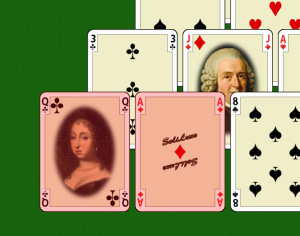
In matching games like Pyramid and Memory:
Click on each card in turn. In Memory, selected cards will be turned
face up, in most other matching games selected cards will be
highlighted in red until the game detects a match or an illegal move.
Click on the top card in the stock pile, or use the SPACE keyboard shortcut (which also redeals an empty stock where applicable).