


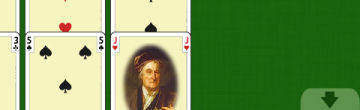
When card placements extend beneath the bottom of the display, the game automatically goes into a "scrolling tabletop" mode. Arrows at the top or bottom of the screen indicate that the tabletop extends beyond what you currently see. To change the portion you view:
Use the mouse scroll wheel.
Move the mouse cursor to the very top or bottom of the display.
When dealing new cards, SoliLuxe will automatically scroll to "focus" on the last card dealt.
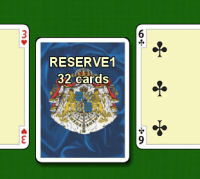
The tooltip can give information about the amount of cards in a pile. Just point to the position you are interested in and press F2. The text will go away again as soon as you move the mouse.
(There is also a choice in the Settings tab of the Options window to have the tooltip text appear automatically if you rest the mouse cursor on top of a position for a second or two.)
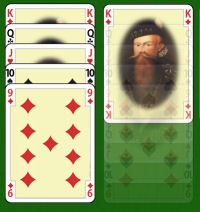
In some games, it is essential to be able to examine the contents of a pile of cards. You can often examine the second card of a pile by dragging the top card away, but to dig deeper you need X-ray vision. Luckily, SoliLuxe has it!
If you press keys 1 to 9 whilst pointing to a pile of cards, the corresponding number of cards will become almost transparent until you release the key again.
If you press key 0 whilst pointing to a pile of cards, you will X-ray the entire pile so that you can see the bottommost card.