


Options Window
Table tab (Table Backdrop Graphics Selection)
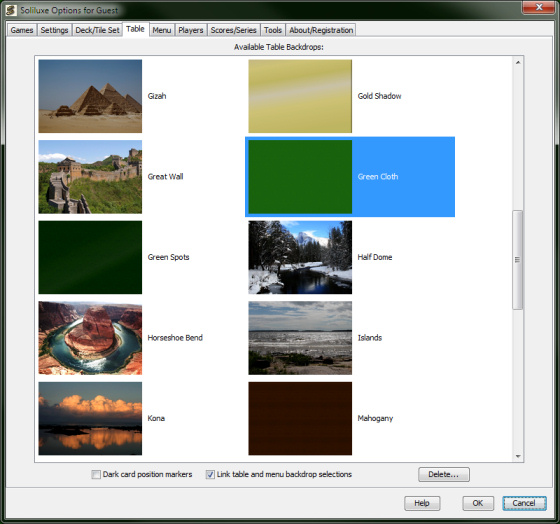
This is where you select the backdrop graphics for the playing area.
The list shows miniature graphic previews of all table backdrops available. Click the one you want to use.
Dark card position markers
Check this if you want card positions displayed in a darker
colour for the selected table background.
Link table and menu backdrop selections
Check this if you want the selection of table backdrop on this
tab to also select the menu backdrop of the same name — saves
you the trouble of going to the menu tab if you want the table and menu
backdrops to match.
Delete button
Deletes the currently selected table backdrop (unless it is
"Green Cloth", which is the default table backdrop.) The corresponding
preview thumbnail will also be deleted. If the "Link table and menu
backdrop selections" checkbox is selected and a menu backdrop with
the same name exists, you will be asked if this also should be deleted.
"Green Cloth" will be selected as the new table backdrop.